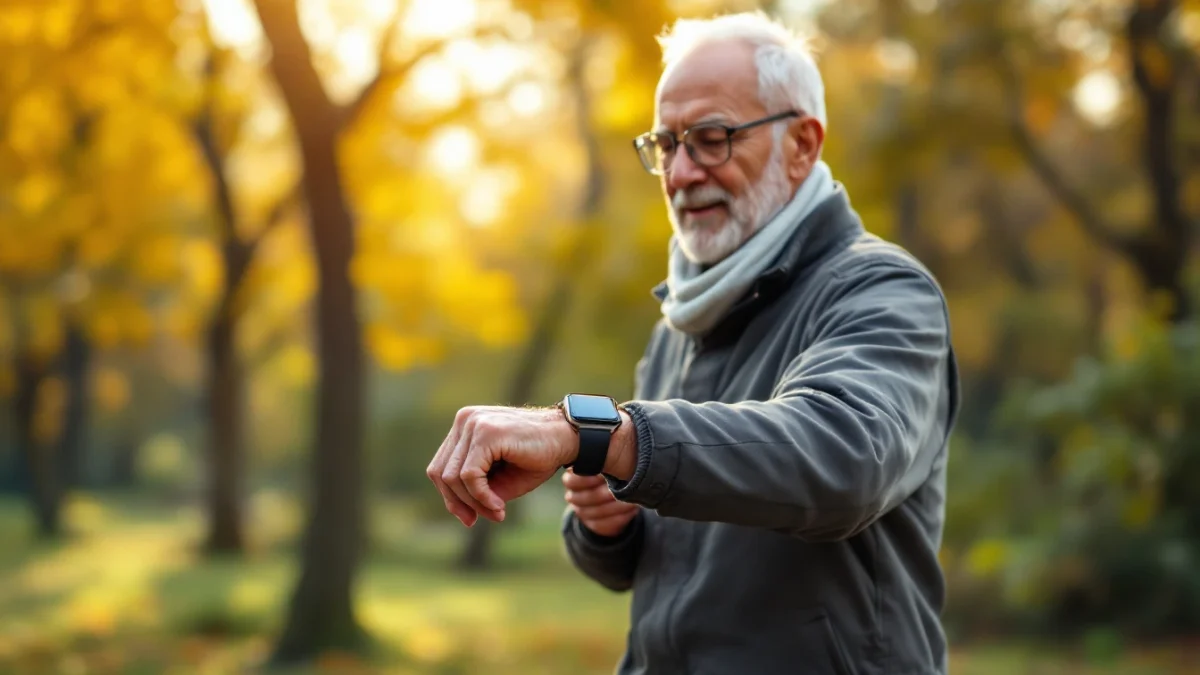
The Apple Watch has genuine safety features — hard-fall detection and Emergency SOS — but it has no dedicated 24/7 professional monitoring center, a battery that lasts only about 18 hours before it needs charging, and a touchscreen-plus-smartphone setup that can be confusing for some older adults. A medical alert system is the opposite by design: one simple, always-charged button that connects to a US-based 24/7 response center where a trained agent answers, verifies the situation, and can dispatch help.
The short version: for a frail, forgetful, or less tech-comfortable senior living alone, a medical alert system is the safer, simpler choice. For an active, tech-comfortable senior who already wears and charges a smartphone, an Apple Watch may be enough — and some families use both.
If you are weighing a smartwatch against a medical alert button for an aging parent, you are asking exactly the right question. Both promise the same reassurance — that if your mother falls in the kitchen or your father feels faint on a walk, someone will know. But they get there in very different ways, and the difference matters most in the worst moment.
The Apple Watch has become the default answer for a lot of families because it is familiar, stylish, and does not look like a medical device. Fall detection and Emergency SOS are real features that have helped real people. At the same time, a purpose-built medical alert system was engineered for one job: getting a vulnerable person connected to help as fast and reliably as possible, with as little as a single button press.
In this guide we compare the two on the factors that actually decide safety for an older adult: whether there is 24/7 professional monitoring, how fall detection works (and its limits), battery life, ease of use, and the true cost over several years. We compared published manufacturer specifications, provider disclosures, and widely reported owner feedback — we did not test these devices in a lab, and we do not make medical claims.
Where we name a specific system, we focus on well-known, monitored providers such as Lively and Medical Guardian so you can act on the recommendation. Let's break it down.
Our score rates each provider on price, monitoring certification, contract flexibility, fall-detection value, and device range. Category picks (Best Value, Best Mobile…) are separate awards — see how we research. Apple Watch is a general-purpose smartwatch, not a monitored provider, so we do not assign it a provider score.
What is a medical alert system?
A medical alert system is a dedicated emergency-response service built around a wearable help button — usually a pendant or wristband — paired with either an in-home base unit or a mobile GPS device. When the button is pressed (or, on some models, when the device detects a fall), it opens a two-way voice connection to a professional monitoring center that is staffed around the clock.
The defining feature is not the hardware; it is the monitoring center. A trained agent answers within seconds, speaks to the person through the device, assesses the situation, contacts family or neighbors, and dispatches paramedics if needed — staying on the line the whole time. Modern systems come in several forms: in-home landline or cellular units, mobile GPS pendants that work anywhere, and even medical-grade smartwatches.
Medical Alert System — Quick Profile
- Primary purpose: Get a senior connected to professional help fast, with one button
- Core feature: US-based 24/7 professional monitoring center
- Best for: Seniors living alone, frail or high fall-risk, less tech-comfortable
- Ease of use: One large button; nothing to unlock, log in to, or navigate
- Battery: Days for mobile units; base-unit backups measured in days; some buttons last years
- Typical cost: About $25–$45/mo monitoring; fall detection often +$5–$10/mo
Strengths
- Live US-based agent answers and stays on the line
- Extremely simple — one button, always ready
- Long battery life; low charging burden
- Waterproof pendants can be worn in the shower, where many falls happen
Trade-offs
- Ongoing monthly monitoring fee
- Looks like a medical device (some seniors resist wearing one)
- Fall detection is usually a paid add-on
What is the Apple Watch for seniors?
The Apple Watch is a consumer smartwatch, not a medical alert device — but several of its features overlap with what an alert system does. It pairs with an iPhone and offers health tracking, hard-fall detection, and Emergency SOS, which can place an emergency call and share your location and medical ID with responders.
For an active, tech-comfortable older adult, that combination can be reassuring. The watch does not look medical, it tracks heart rate and activity, and Emergency SOS works without a separate subscription. The catch is that Apple designed it as a general-purpose device for the mass market, not as a monitored lifeline for a vulnerable senior — and a few of those design choices matter a great deal in an emergency, as we cover below.
Apple Watch — Quick Profile
- Primary purpose: General-purpose smartwatch with health and safety features
- Core feature: Fall detection + Emergency SOS (calls 911 / contacts directly)
- Best for: Active, tech-comfortable seniors already in the Apple ecosystem
- Ease of use: Touchscreen + iPhone setup; a learning curve for some
- Battery: About 18 hours of typical use — usually charged daily
- Typical cost: ~$250+ upfront; no monitoring fee; cellular ~$10/mo optional
Strengths
- Built-in fall detection and Emergency SOS at no monthly monitoring fee
- Doesn't look like a medical device — higher wear rate for some
- Health tracking, messaging, reminders in one device
- Location sharing with family via the Apple ecosystem
Trade-offs
- No dedicated 24/7 professional monitoring center
- ~18-hour battery means daily charging — a coverage gap if forgotten
- Touchscreen and iPhone setup can frustrate less tech-savvy seniors
Does the Apple Watch have fall detection?
Yes. Apple Watch Series 4 and later, along with the SE and Ultra models, include hard-fall detection. If the watch senses what looks like a hard fall and the wearer appears immobile for roughly a minute, it can automatically place an emergency call and notify the wearer's emergency contacts. For adults 55 and older, this feature is switched on by default. That is a genuinely useful capability, and there are documented cases of it summoning help.
Here is the honest caveat, and it cuts both ways. No fall-detection technology — on a smartwatch or a medical alert pendant — catches every fall. Automatic detection tends to recognize sudden, hard falls better than slow slumps or slides, and independent reviewers and providers acknowledge that these systems can both miss real falls and occasionally fire false alarms. Depending on the study and fall type, a meaningful share of real-world falls may go undetected. Treat automatic fall detection as a valuable backstop, not a guarantee, whichever device you choose.
The practical difference is what happens after a fall is detected. On an Apple Watch, the countdown ends in a call to 911 or your contacts. On a monitored medical alert system, that same detected fall routes to an agent who confirms the person is okay before escalating — which can reduce false-alarm dispatches while still getting real emergencies moving quickly.
Is there 24/7 monitoring?
This is the single biggest difference, and it is the reason most safety-focused families lean toward a dedicated system.
The Apple Watch has no professional monitoring center. When Emergency SOS triggers, it dials local emergency services and can text your listed contacts with your location. There is no trained operator who picks up, talks the person through the situation, checks their stored medical notes, or decides whether to call a neighbor instead of an ambulance. If the senior is unconscious and 911 cannot hear anything, dispatchers are working blind.
A medical alert system is built around monitoring. Reputable US providers run their own or contracted response centers, typically staffed 24/7 by trained agents and often certified (you will see references to TMA Five Diamond and UL listing). When an alert comes in, an agent answers within seconds, speaks to the person, knows their profile and medical notes, contacts the right people, and stays on the line until help arrives. Medical Guardian and Lively (Best Buy Health) both include US-based 24/7 response as part of the subscription.
For a senior who lives alone, that human in the loop is the whole point. It is the difference between a phone call into the void and a calm voice saying, "I see you fell, help is on the way, stay with me."
Head-to-head comparison
Here is how a dedicated medical alert system compares to the Apple Watch on the factors that matter most for an older adult. The medical alert values reflect confirmed, published information across monitored US providers.
| Feature | Medical Alert System | Apple Watch |
|---|---|---|
| 24/7 professional monitoring | Yes — US-based response center | No — calls 911 / contacts directly |
| Fall detection | Yes (optional add-on, ~$5–$10/mo) | Yes (built in, Series 4+ / SE / Ultra) |
| Battery life | Days to years (mobile: several days; base backup: days) | ~18 hours (charge daily) |
| Ease of use for seniors | One button; always ready; no setup | Touchscreen + iPhone setup; learning curve |
| Ongoing cost | ~$25–$45/mo monitoring; little/no upfront | No monitoring fee; ~$250+ upfront; cellular ~$10/mo |
Read the table as a portrait of two different philosophies. The Apple Watch wins on upfront-versus-monthly economics and does more than one thing. The medical alert system wins on the safety fundamentals: a live monitoring center, long battery life, and dead-simple operation.
Battery & ease of use for seniors
These two factors get overlooked in spec sheets, but they quietly decide whether a device is actually protecting someone day to day.
Battery life
Apple rates most Apple Watch models at about 18 hours of typical use, which in practice means charging every single night. That is fine for a tech-savvy adult with a routine, but for a senior with memory changes it creates a recurring risk: an uncharged watch on the nightstand at 2 p.m. is a watch that cannot call for help. Falls do not wait for a full battery.
Medical alert devices are engineered around exactly this problem. Mobile GPS units commonly run several days on a charge, in-home base units carry battery backups measured in days for power outages, and some wall-mounted or pendant buttons last years on a sealed battery. Less charging means fewer coverage gaps.
Ease of use
A medical alert pendant does one thing, and it does it the same way every time: press the button, talk to the agent. There is no screen to wake, no passcode, no app, no software update, no pairing with a phone. For someone with arthritis, low vision, or cognitive decline, that simplicity is not a downgrade — it is the feature.
The Apple Watch, by contrast, assumes comfort with a touchscreen and, for most functions, a paired iPhone. Setup, updates, and the occasional need to confirm on-screen prompts can be real barriers. Plenty of seniors use one happily; others find it one more gadget they never fully trust. Match the tool to the person, not the marketing.
Cost over time
On paper the Apple Watch looks like the cheaper long-term option because there is no mandatory monitoring fee. But it is worth doing the full math, because the two structures converge more than people expect.
An Apple Watch runs roughly $250 or more upfront, with no required subscription for Emergency SOS. If you want it to call for help while your parent is out walking without their phone nearby, you will likely add cellular service at about $10 a month. Batteries and models also get replaced every few years.
A medical alert system typically has little or no equipment cost upfront and then a monthly monitoring fee. Confirmed entry pricing among monitored US providers is competitive: Lively plans start at $24.99/mo (Basic) with the Mobile2 device at $79.99, and Medical Guardian starts at $31.95/mo for its in-home plan. Optional fall detection generally adds about $5 to $10 a month.
Run it out three years and the picture is closer than the sticker prices suggest — a $30/month system is around $1,080 over three years, while an Apple Watch with cellular is roughly $250 hardware plus about $360 in service. The gap is real but not enormous, which means the smart way to decide is not price — it is whether you want a monitoring center in the loop. You are buying a response, not just a device.
Which is right for your parent?
There is no universal answer — it comes down to how your parent lives, how comfortable they are with technology, and how much fall risk they carry. Use these profiles as a starting point.
Choose a Medical Alert If...
- Your parent lives alone or is alone often
- They are frail or at higher risk of falling
- They are not comfortable with smartphones or touchscreens
- You want a live agent, not just an automated 911 call
Consider an Apple Watch If...
- Your parent is active and tech-comfortable
- They already use an iPhone and charge devices reliably
- They resist anything that looks medical
- They want health tracking and messaging too
Consider Both If...
- You want everyday tracking plus a monitored lifeline
- Budget allows a watch and a low-cost alert plan
- Your parent will wear a pendant in the shower
- You want redundancy for a high fall-risk parent
Our recommendation: For a senior living alone, especially one who is frail or less tech-comfortable, a monitored medical alert system is the safer default because of the 24/7 response center, longer battery, and one-button simplicity. For an active, connected senior who charges devices every night and wants more than an emergency button, an Apple Watch can be a reasonable fit — and for a high-risk parent, pairing both gives you belt-and-suspenders coverage.
Recommended monitored systems
If the monitoring center is what you are after, these two well-known US providers are easy places to start. Both include a 24/7 US-based response team and offer fall detection as an option. Confirm current pricing and plan details on each provider's official page before you buy.
Medical Guardian 8.9/10
Best for: Families who want the widest device choice — in-home, mobile GPS, and a smartwatch — backed by fast, certified US monitoring.
Medical Guardian offers one of the broadest lineups in the category, from a simple in-home base unit to mobile GPS pendants and its MGMove smartwatch, all connected to a US-based, TMA Five Diamond monitoring center. Plans are month-to-month with no long-term contract. Fall detection is available as an add-on (about $10/mo), and equipment fees apply on some devices — verify the current plan details before ordering.
Check Medical Guardian Plans →Lively (Best Buy Health) 7.8/10
Best for: Seniors who want one all-in-one mobile pendant, backed by Best Buy retail and Geek Squad support.
Lively's Mobile2 is a lightweight, all-in-one GPS pendant with 24/7 US-based Urgent Response built in — no separate home base required. The Basic plan starts at $24.99/mo and the Premium plan ($34.99/mo) adds Nurse On-Call and care advocates; the device is $79.99 with optional fall detection (about $9.99/mo). It is month-to-month with a 30-day device return window. A straightforward choice for an on-the-go senior who wants help anywhere.
Check Lively Plans →Want the full field, including systems built specifically around automatic fall detection? See our guide to the best medical alert systems with fall detection.
Frequently asked questions
Q: Is an Apple Watch as good as a medical alert system for a senior?
It depends on the person. An Apple Watch offers fall detection and Emergency SOS, but it connects an emergency call directly to 911 or your listed contacts rather than to a dedicated 24/7 monitoring center. A medical alert system routes every alert to a US-based response team that stays on the line, knows the person's medical notes, and can escalate. For a frail or less tech-comfortable senior, a medical alert is generally the more reliable choice; for an active, tech-comfortable senior, an Apple Watch may be enough.
Q: Does the Apple Watch automatically detect falls?
Yes. Apple Watch Series 4 and later, plus the SE and Ultra models, include hard-fall detection that can prompt an emergency call if you appear immobile for about a minute. No fall-detection technology is perfect, though. Independent testing and provider disclosures suggest automatic systems can miss a meaningful share of real falls and occasionally trigger false alarms, so it should be treated as a backstop rather than a guarantee. This limitation applies to medical alert pendants as well.
Q: Does an Apple Watch have 24/7 monitoring?
No. The Apple Watch does not include a professional monitoring center. When Emergency SOS is triggered it calls local emergency services and can notify your emergency contacts, but there is no trained agent who answers, verifies the situation, and stays with the person. Dedicated medical alert providers such as Medical Guardian and Lively include a US-based 24/7 response center as part of the monthly subscription.
Q: How long does an Apple Watch battery last compared to a medical alert?
Apple rates most Apple Watch models at about 18 hours of typical use, meaning it usually needs charging every day. Medical alert devices are built to run far longer between charges: mobile units commonly last several days, in-home base units have battery backups measured in days, and some wall buttons last years. For a senior who may forget nightly charging, longer battery life is a genuine safety advantage.
Q: Which is cheaper over time, an Apple Watch or a medical alert system?
An Apple Watch has a higher upfront cost (often around $250 or more) but no required monitoring fee, though cellular service adds roughly $10 a month. A medical alert system typically costs little or nothing upfront and then $25 to $45 a month for monitoring, with optional fall detection adding about $5 to $10. Over several years the running costs can converge, so the real decision is about monitoring and reliability rather than price alone.
Final verdict: Medical Alert vs Apple Watch
Both devices can help a senior in an emergency, and both include fall detection. But they answer a different question. The Apple Watch asks, "How do I give an independent person more safety features on their wrist?" A medical alert system asks, "How do I make sure a vulnerable person is connected to trained help as reliably as possible?" That framing usually points to the right answer for your family.
For most seniors who live alone — and especially those who are frail, forget to charge devices, or find touchscreens frustrating — a monitored medical alert system is the safer choice, thanks to its 24/7 US response center, multi-day battery, and one-button simplicity. For active, tech-comfortable seniors who want an everyday device that also happens to detect falls, the Apple Watch is a fair option. High-risk households may reasonably want both.
- Safest for most seniors: Medical Guardian (from $31.95/mo) — broad device choice plus fast, certified US monitoring.
- Simplest mobile lifeline: Lively Mobile2 (from $24.99/mo + device) — all-in-one GPS pendant with built-in 24/7 response.
- Best for active, tech-comfortable seniors: Apple Watch — fall detection and SOS with no monitoring fee, but no response center and daily charging.
Whatever you choose, the best device is the one your parent will actually wear and use. Talk it through with them, factor in a doctor's input on their fall risk, and pick the option that fits their real life — not the flashiest spec sheet.
Ready to add a 24/7 lifeline?
Compare monitored medical alert plans with US-based response centers and optional fall detection.